

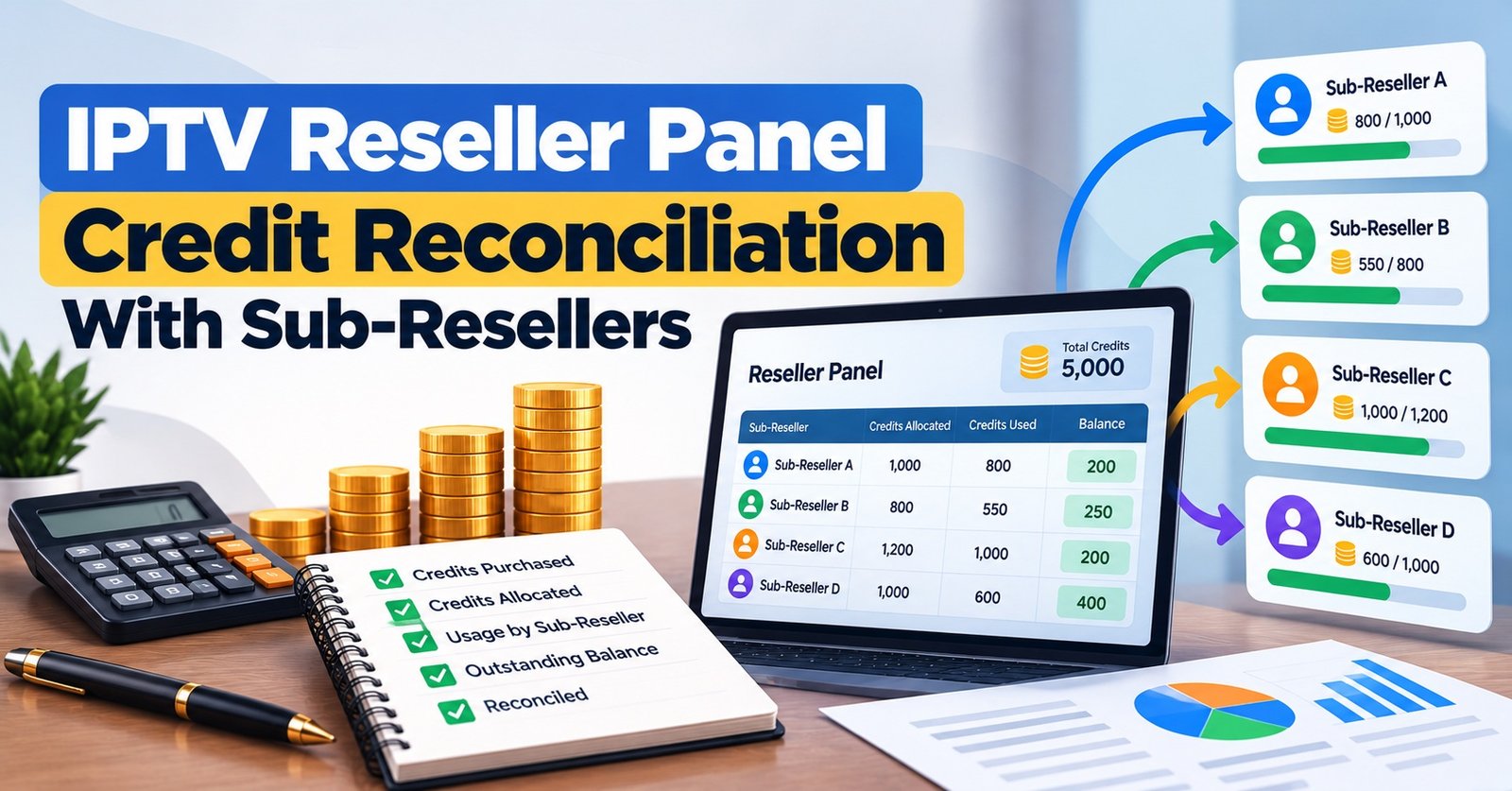
IPTV Reseller Panel Credit Reconciliation is the routine check that your panel’s credit balance equals what your own records say it should be: the previous closing balance, plus every top-up you bought, minus every line, renewal and sub-reseller transfer you can explain. To do it, put three records side by side for the same period (the panel’s credit history, your list of customer lines and your record of payments received) and match each credit movement to a line and a payment. Anything left unmatched is what you investigate.
A balance that agrees is not the finish line, though. Two mistakes can cancel each other out, and a renewal applied to the wrong username costs exactly the same number of credits as a correct one, so the total looks perfect while a paying customer’s line quietly runs towards expiry. Checking the line list as well as the arithmetic is what turns a tidy number into a balance you can rely on when you decide how many IPTV credits to buy next.
The Sum Your Balance Has to Satisfy
Every reconciliation comes back to one line of arithmetic:
Opening balance + credits added − credits used = closing balance
Credits added usually means top-ups you paid for, credits your provider returned after a correction, and credits you reclaimed from a sub-reseller. Credits used covers new paid lines, renewals or extensions, transfers to sub-resellers and, on some panels, extra charges for additional connections on a single line.
How each action is priced depends on your provider. Many panels work on a simple monthly model where one credit buys one month for one line, as with the credit-based pricing tiers on British Reseller, but some charge differently for multi-connection lines, certain packages or longer terms. Write your provider’s rules down once, in plain words, before your first reconciliation. You cannot judge whether a deduction is correct if you are not sure what it should have cost.
Free trials deserve a mention here. They often cost nothing, so they rarely move the balance, but record them anyway. A trial that is later converted the wrong way (a fresh paid line created instead of the trial being extended, or the reverse) is a common source of confusion further down the line.
Three Records That Have to Agree
The panel’s credit history
Most IPTV panel reseller dashboards keep a log of credit movements, sometimes called credit history, transactions or logs. It is the provider’s version of events and the starting point for everything else. If your panel lets you export it, export it. If it only shows the last few weeks or has no export at all, take a dated screenshot of the balance and recent entries at the same time each week, so you always have a fixed point to work from.
The line list
This is your list of customer lines with usernames, packages, connection counts and expiry dates. The credit log tells you that credits were spent; the line list tells you whether they were spent on the right customer for the right length of time. Keep it alongside your system for tracking line expiry dates, because expiry is where a misapplied renewal eventually shows itself.
Your payment record
Whatever you use to record money in (a spreadsheet, invoicing software or a payment app’s export), each paid order should name the line it relates to and the duration sold. Without that link, you can see that money arrived but not which credit deduction it paid for. Credit reconciliation works in credits, not pounds, so the money side stays separate; good bookkeeping that ties credit purchases to customer payments handles the cash and tax view.

A Worked Month: October on a 140-Credit Panel
The figures below are an illustrative example rather than real account data. The IPTV panel reseller opens October with 40 credits, buys a 100-credit top-up and sells a handful of lines. The panel’s credit history for the month reads like this:
| Date | Panel entry | Change (balance after) |
|---|---|---|
| 1 Oct | Opening balance | 40 |
| 3 Oct | Top-up purchased | +100 (140) |
| 5 Oct | New line: line-2201, 12 months | -12 (128) |
| 8 Oct | Renewal: line-1874, 1 month | -1 (127) |
| 11 Oct | Transfer to sub-reseller SR-North | -20 (107) |
| 14 Oct | New line: line-2219, 3 months | -3 (104) |
| 14 Oct | New line: line-2220, 3 months | -3 (101) |
| 20 Oct | Renewal: line-1650, 6 months | -6 (95) |
| 27 Oct | Trial: line-2241 | 0 (95) |
| 29 Oct | Renewal: line-1874, 1 month | -1 (94) |
The payment record for October shows five paid orders: an annual line for line-2201, a 3-month line for line-2219, 6 months for line-1650, and one month each for line-1874 and line-1875. Add the 20-credit sub-reseller transfer and the expected usage is 12 + 3 + 6 + 1 + 1 + 20 = 43 credits. Starting from 140, the balance should be 97. The panel shows 94.
The 3-credit gap traces quickly to line-2220: a second 3-month line created at the same minute as line-2219, with no payment against it. That is a classic double submission.
The second problem is the more interesting one. Line-1874 was renewed twice, and line-1875 (whose owner paid on 29 October) was not renewed at all. Numerically, the two renewals cost one credit each, so this mistake does not affect the total in any way. Only the line check catches it: line-1874’s expiry has moved forward two months instead of one, while line-1875 is still due to lapse. Had the reseller stopped once the arithmetic worked, a paying customer would have lost service a few days later.
Fixing both is straightforward. Ask the provider whether the duplicate line can be removed with the credits returned (policies differ, so do not assume), then renew line-1875 and note that line-1874 has an unpaid month in hand, which you can either honour as goodwill or account for at its next renewal.
IPTV Reseller Panel Credit Reconciliation in the Reseller Dashboard
The exact menus vary between panels, but the workflow below fits most reseller dashboards and takes far less time once it is routine.
- Fix the period and the cut-off. Choose the start and end date, and check which timezone your panel uses for its logs. A line created at 11.30pm your time may sit in the following day, or month, on a server running on a different clock.
- Export or capture the credit history. Save it as a file or dated screenshots before you change anything. Corrections made mid-reconciliation make the log much harder to read.
- Confirm the opening balance. It should match the closing balance you signed off last time. If it does not, resolve that first, because every later figure inherits the error.
- Total the additions by type. Top-ups, provider corrections and credits reclaimed from sub-resellers, each checked against an invoice, receipt or message from the provider.
- Total the deductions by type. Separate new lines, renewals, connection add-ons and sub-reseller transfers. Grouping makes odd entries stand out, such as a 12-month deduction in a month where you sold no annual lines.
- Match every deduction to a reason. For customer lines, that reason is a payment. For anything unpaid (a replacement line, goodwill days, an internal test line), you need a written note saying why it exists.
- Check the lines themselves. For each line created or extended in the period, confirm the expiry date moved by the duration that was paid for, on the correct username.
- Record the outcome. Note the closing balance, any differences found, what caused them, what you asked the provider to correct, and the date you finished. That note becomes next month’s step three.
Pro tip: Give every unpaid deduction a short code in your notes, such as REPL for replacement lines and GW for goodwill, so you can see at a glance how many credits each month go on support rather than sales.
Where the Figures Usually Part Company
Double submissions
A slow page, a second click or a retry after an error message can create the same line twice. Look for two identical deductions within a minute or two of each other, usually on consecutive usernames.
The right credits on the wrong customer
Similar usernames (line-1874 and line-1875, or two family members with near-identical names) make misapplied renewals easy. The balance will reconcile; only the line check exposes it.
Wrong duration selected
Choosing 12 months when the customer paid for one is an expensive slip, and depending on your provider it may or may not be reversible. Any deduction that is larger than the matching payment should be checked the same day.
Deleted lines and assumed refunds
Some panels return unused credits when a line is deleted, some return part of them, and many return nothing. If you assumed a refund that never arrived, your records will run ahead of the panel. Find your provider’s rule in writing and treat it as a fact in your reconciliation, not a guess. It is also worth aligning with your own written refund policy, so that what you promise customers does not depend on credits you cannot recover.
Top-ups that arrive late or differently
A top-up paid on the 30th but credited on the 1st sits in different months on your records and on the panel. Occasionally the credited amount differs from the invoice. Both are easy to resolve when caught within days and awkward when caught months later.
Transfers mistaken for sales
Credits sent to a sub-reseller leave your balance just as a sale does, but no customer line appears on your list. If transfers are not recorded separately, they look like missing credits.
Sub-Reseller Credits Need Their Own Ledger
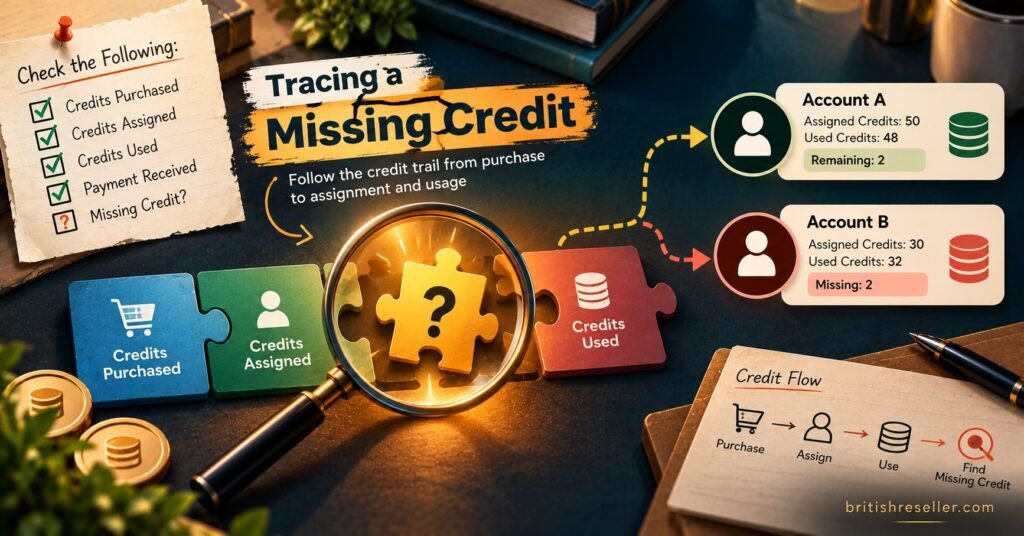
Once you run a UK IPTV reseller business with sub-resellers underneath you, there are two reconciliations rather than one. Your own reconciliation treats a transfer to a sub-reseller as a single deduction, matched to whatever arrangement you have with them (a payment, an invoice or an agreed advance). What they then do with those credits belongs in their ledger, not yours.
Keep a short running record for each sub-reseller: credits sent, credits reclaimed, the date of each, and what was paid for them. If your panel shows sub-reseller balances, compare that figure with your running record each month. A sub-reseller whose balance falls faster than their payments to you suggest is worth a conversation, whether the cause is a pricing misunderstanding, unpaid lines or simple mistakes like the ones above.
Reclaiming credits needs particular care. Whether a panel allows it, and whether reclaimed credits return in full, varies between providers, so confirm the behaviour before you rely on it in a dispute.
Weekly, Monthly or After Every Top-Up?
Monthly is the minimum for most resellers, because it lines up with renewal cycles and with your bookkeeping. If you create more than a few lines a day, a quick weekly check (steps 2, 6 and 7 only) catches duplicates and misapplied renewals while the customer conversation is still fresh in your messages. Running steps 3 and 4 immediately after each top-up is also sensible, since a top-up credited incorrectly is easiest to query on the day it happens.
A Month-End Checklist You Can Reuse
- Period dates and panel timezone confirmed
- Credit history exported or captured before any corrections
- Opening balance matches last month’s signed-off closing balance
- Every top-up matched to an invoice or receipt, with the credited amount checked
- Deductions grouped into new lines, renewals, connection add-ons and transfers
- Every customer deduction matched to a payment for the same line and duration
- Every unpaid deduction carries a written reason code
- Expiry dates checked on all lines created or extended this period
- Sub-reseller transfers and reclaims matched to their running records
- Differences listed with cause, action taken and any provider request outstanding
- Closing balance and completion date recorded for next month
Questions Resellers Ask About Credit Gaps
Does deleting a duplicate line give the credits back?
It depends entirely on the panel and the provider’s policy. Some return credits automatically for unused time, some do it only on request, and some never do. Ask your provider with the line username and timestamp as evidence, and record the answer for next time.
My panel has no exportable credit log. Can I still reconcile?
Yes, but you have to create the fixed points yourself. Record the balance at the same time each week, keep your own ledger of every line action as you take it, and compare the two. It is more manual, but the arithmetic is identical.
Should a free trial ever change my balance?
On many panels trials cost nothing, so they should not. If a trial appears as a deduction, check whether you selected a paid package by mistake or whether your provider charges for trials beyond a set allowance.
What if the balance matches but a customer says their line expired?
Run the line check for that customer first. A matching balance with a lapsed paid line almost always points to a renewal applied to a different username, as in the October example above.
How long should I keep reconciliation records?
Keep them alongside your financial records for as long as those must be retained. Credit records explain how money in became service delivered, which is useful in disputes and when preparing accounts.
A Balance You Can Sign Off
IPTV Reseller Panel Credit Reconciliation comes down to two questions answered every period: does the arithmetic work, and did every credit land on the right line for the right length of time? The first catches duplicates, late top-ups and forgotten transfers. The second catches the mistakes that cost no extra credits but still cost you customers. Neither depends on a particular provider, although the rules for refunds, reclaims and multi-connection pricing do, so get those in writing before you rely on them. Start with this month’s opening balance and the three records side by side, and the next reconciliation will begin from a number you already trust.
[…] as your one-trial rule requires, then delete them. The British Reseller guide to UK GDPR duties for IPTV panel resellers covers retention and controller responsibilities in more […]