


Nobody Talks About the Real Reason IPTV Buffers
Let’s get something out of the way. That spinning wheel on your screen isn’t random. It isn’t bad luck. And nine times out of ten, it isn’t your internet connection either.
If you’ve landed here trying to fix IPTV buffering, you’re probably frustrated, and rightfully so. You’ve restarted your router, cleared your app cache, maybe even factory-reset your device. Nothing changed. The match still freezes at the worst possible moment. The film still stutters during the climax.
Here’s what most “how-to-fix-buffering” articles won’t admit: the problem is almost never singular. Buffering is a symptom. The disease could be upstream, sitting inside the panel infrastructure your reseller chose, hiding in the DNS resolution chain, or buried in ISP-level packet inspection that neither you nor your provider can see in real time. To genuinely fix IPTV buffering, you need to think in layers: device, network, DNS, server, and policy.
This article isn’t a list of obvious tips dressed up in filler paragraphs. This is what we’ve learned running infrastructure, losing uplinks at 2am, and fielding hundreds of tickets from IPTV Panels resellers and subscribers who all say the same thing: “it’s buffering again.”
Let’s pull it apart, layer by layer.
Your Router Configuration Is Probably Working Against You
Before touching anything on the IPTV side, look at what’s sitting between your device and the internet. Most household routers ship with settings that actively sabotage streaming traffic, and almost nobody changes them.
The first culprit is QoS (Quality of Service). Many routers prioritise web browsing and downloads over sustained streaming connections. IPTV relies on continuous data flow, not burst downloads. If QoS is enabled and you haven’t manually prioritised your streaming device, your router is literally deprioritising the one thing you’re trying to watch.
The second issue is channel congestion on Wi-Fi. If you’re on the 2.4GHz band, every microwave, baby monitor, and Bluetooth speaker in your home is competing for the same frequency. Switch to 5GHz. Better still, use ethernet. A £7 cable will fix IPTV buffering faster than any software tweak.
Pro Tip: Disable SPI Firewall on consumer routers when streaming. Stateful Packet Inspection adds latency by examining every packet for threats, unnecessary when your traffic is already running through a VPN tunnel. One toggle, measurable improvement.
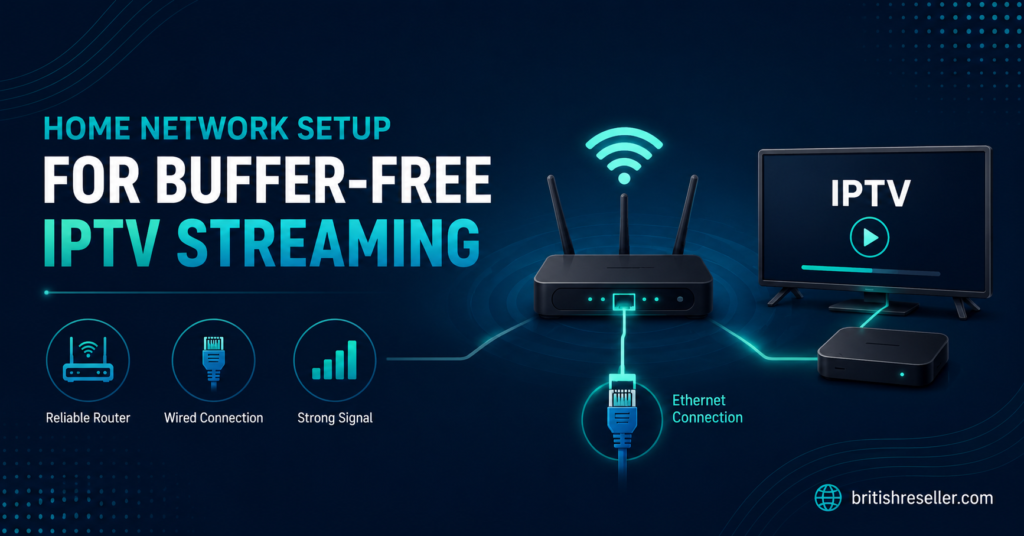
A quick checklist for router-side fixes:
- Switch to 5GHz or wired ethernet
- Disable SPI Firewall during streaming sessions
- Set QoS to prioritise your streaming device’s MAC address
- Restart your router weekly to clear ARP table bloat
- Update firmware, manufacturers patch UDP handling bugs silently
DNS Resolution Delays Are the Silent Killer
You changed your DNS to 8.8.8.8 and thought that was enough. It wasn’t. Here’s why.
When your IPTV app loads a channel, it sends a DNS query to resolve the streaming server’s hostname. If that resolution takes 200ms instead of 15ms, you’ve already introduced a delay before a single frame arrives. Stack that across playlist refreshes, EPG pulls, and VOD catalogue loads, and your entire experience degrades.
But the real danger in 2026 isn’t slow DNS. It’s DNS poisoning. ISPs in the UK and across Europe have become significantly more aggressive with DNS-level interference. They intercept queries, inject false responses, and redirect traffic to block pages, all before your VPN even engages if DNS requests leak outside the tunnel.
To fix IPTV buffering at the DNS layer, you need encrypted DNS. DNS-over-HTTPS (DoH) or DNS-over-TLS (DoT) prevents your ISP from reading, modifying, or blocking your DNS requests. Configure it at the router level if possible; otherwise, set it per device.
Pro Tip: Use a DNS benchmark tool like GRC’s DNS Benchmark to test resolution speed for your specific location. The “best” DNS isn’t universal, it varies by ISP and geography. What’s fast in Manchester may crawl in Karachi.
ISP Throttling: The War You Can’t See
Here’s where things get political. ISPs don’t announce throttling. They don’t send you a letter. They just quietly shape your traffic using Deep Packet Inspection (DPI), and suddenly every stream stutters while your speed test shows a perfect 80Mbps.
DPI in 2026 has become remarkably sophisticated. Older systems identified IPTV traffic by port numbers, easy to bypass. Modern DPI analyses packet patterns, connection duration, and even TLS fingerprints to identify streaming behaviour regardless of port. Your ISP doesn’t need to know what you’re watching. They just need to recognise that a sustained, high-bitrate UDP or TCP flow looks like streaming, and throttle accordingly.
To fix IPTV buffering caused by ISP throttling, you need a quality VPN, not a free one, not a browser extension, but a full-tunnel VPN running on your router or device with obfuscation support. Obfuscation disguises VPN traffic as ordinary HTTPS browsing, making DPI systems less likely to flag and shape it.
- Choose a VPN with WireGuard or OpenVPN (with obfuscation)
- Avoid servers in the same country as your ISP, cross-border routing often escapes national DPI
- Test multiple VPN servers; one congested node will recreate the same buffering you’re trying to escape
- Kill switch is non-negotiable, without it, a VPN drop exposes your real IP and DNS instantly
Panel Infrastructure: Where Resellers Lose Subscribers
If you’re a reseller reading this, pay attention. Your subscribers don’t know what a CDN is. They don’t understand HLS latency or uplink redundancy. They just know it buffers, and they blame you.
The uncomfortable truth: you can’t fix IPTV buffering for your customers if the panel provider you resell for runs garbage infrastructure. Cheap panels cut costs in three places: server hardware, bandwidth allocation, and geographic distribution. The result is predictable. Peak-time overload, single-point-of-failure architecture, and streams that degrade from 1080p to unwatchable within minutes of a major sporting event kicking off.
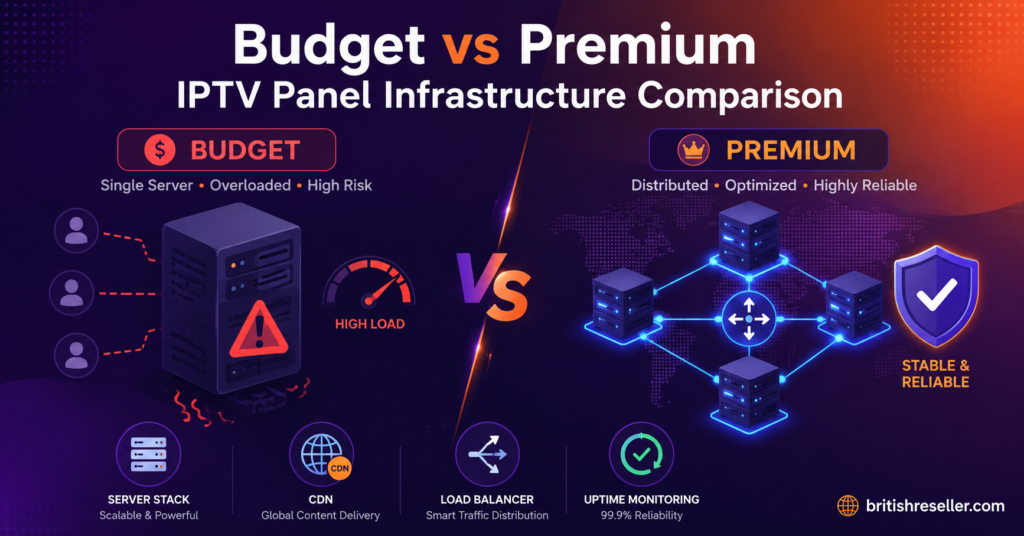
| Factor | Budget panel infrastructure | Premium panel infrastructure |
|---|---|---|
| Server locations | 1 to 2 datacentres | 5+ globally distributed nodes |
| Uplink redundancy | None, single upstream | Multiple uplinks with automatic failover |
| Load balancing | Round-robin (no intelligence) | Geo-aware, latency-based routing |
| Peak capacity | Degrades above 60% load | Handles 90%+ with CDN overflow |
| HLS segment delivery | 10-second segments, frequent stalls | 2 to 4 second segments, adaptive bitrate |
| DNS failover | Manual intervention required | Automated DNS health checks |
If your panel provider can’t articulate their failover strategy, that tells you everything. Resellers who fix IPTV buffering for their user base do it by choosing infrastructure-first providers, not credit-price-first providers.
Pro Tip: Ask your panel provider for a test during a major live event, not a random Tuesday afternoon. Infrastructure that performs under load is the only infrastructure that matters.
HLS Latency and Segment Size: the Technical Bottleneck Nobody Mentions
Most buffering guides skip this entirely because it requires understanding how streams actually reach your screen. Here’s the short version.
IPTV streams delivered via HLS (HTTP Live Streaming) are chopped into small segments, typically 2 to 10 seconds each. Your player downloads these segments sequentially. If segment delivery stalls, because the server is overloaded, the CDN is poorly configured, or the segment size is too large for your connection’s throughput, your player runs out of pre-buffered content and freezes.
This is where you fix IPTV buffering at the protocol level. As a viewer, you have limited control. But as an IPTV reseller or someone configuring their own Xtream Codes panel, you can adjust segment duration. Shorter segments (2–4 seconds) reduce buffer requirements but increase HTTP request overhead. Longer segments (8–10 seconds) reduce requests but require more pre-buffer time and are less responsive to bitrate changes.
The sweet spot for most connections above 25Mbps is 4-second segments with adaptive bitrate enabled. This allows the player to downshift quality momentarily rather than freeze entirely, a far better experience for subscribers watching live content.
- Ensure your panel supports adaptive bitrate (ABR) transcoding
- Set segment duration between 3–5 seconds for live content
- For VOD, 6-second segments with higher pre-buffer work well
- Monitor CDN cache-hit ratios, if segments aren’t being cached, every viewer hammers the origin server directly
Device-Side Fixes That Take Two Minutes
Sometimes the problem is embarrassingly simple. And there’s no shame in that, everyone overlooks the obvious when they’re focused on the complicated.
To fix IPTV buffering on the device itself, start with these:
- App cache. IPTV apps, particularly those built on the Xtream Codes player framework, store EPG data, channel logos, and playlist caches locally. Over weeks, this cache bloats. A corrupted EPG cache alone can cause the app to hang on channel switches, which users perceive as buffering. Clear it. Monthly.
- Player engine. If your app offers a choice between ExoPlayer, VLC engine, or a native player, test each one. ExoPlayer handles adaptive bitrate better on most Android devices. VLC is more forgiving with malformed streams. The “default” player is rarely the best.
- Hardware decoding. Older devices, particularly first and second generation Firesticks, lack the processing power for H.265/HEVC decoding. If your panel serves HEVC streams and your device can’t decode them in hardware, the CPU maxes out and the stream stutters. Switch to an H.264 stream profile if available, or upgrade the hardware.
Pro Tip: The Amazon Firestick 4K Max and Nvidia Shield remain the two most reliable IPTV devices in 2026. If your subscribers are on cheap unbranded Android boxes, half your “buffering” complaints are hardware complaints in disguise.
Back-Up Uplink Servers: Your Emergency Parachute
Every serious IPTV operation loses a server eventually. Hardware failure, DMCA takedown, hosting provider policy change, upstream bandwidth provider pulling the plug, the cause varies, the result doesn’t. Streams die mid-broadcast.
Resellers who fix IPTV buffering proactively, before it happens, maintain relationships with panel providers that run backup uplink servers. These are secondary stream sources that activate automatically when the primary uplink fails. Without them, you’re a single server failure away from a full blackout during a League weekend.
The architecture matters. A true backup uplink isn’t a cold standby that takes 15 minutes to spin up. It’s a warm standby receiving the same stream, ready to serve within seconds. The DNS health check detects the primary failure, updates the resolution, and viewers experience a brief pause rather than a complete outage.
Ask your provider directly: “What happens when your primary uplink goes down during a live event?” If the answer involves “manual” anything, find another provider.
Customer Churn Psychology: Buffering Destroys Trust Faster Than Price
Here’s something resellers rarely quantify. A subscriber who experiences buffering during one live event is 4x more likely to request a refund or switch provider than a subscriber who pays 20% more but never buffers. Price sensitivity is real, but reliability sensitivity is brutal.
When subscribers message you saying “it’s buffering,” they’re not reporting a technical issue. They’re issuing an ultimatum. Fix IPTV buffering now, or they walk. The window is measured in hours, not days.
Smart resellers do three things:
- Acknowledge immediately. Even if you can’t fix it instantly, responding within minutes retains trust.
- Offer a workaround. A backup M3U line, a different server location, a VPN recommendation, anything that shows you have a Plan B.
- Follow up after resolution. A message the next day asking “how’s the stream now?” converts a frustrated subscriber into a loyal one.
The maths is simple. Acquiring a new subscriber costs 5–7x more than retaining an existing one. Every buffering incident you resolve quickly is revenue protected.
Pro Tip: Create a pre-written troubleshooting guide specific to your panel. Send it proactively to new subscribers during onboarding. The ones who follow it never open a ticket, and the ones who do open a ticket have already eliminated the basic causes, saving you diagnostic time.
Scaling Without Breaking: Load Handling for Growing Panels
You’ve grown from 50 subscribers to 500. Congratulations, and condolences. Because the infrastructure that handled 50 streams without a hiccup will collapse spectacularly at 500 during peak time.
Scaling an IPTV operation requires understanding concurrent connection ratios. Not every subscriber watches simultaneously. Typically, 30–40% of your active subscriber base will be streaming at any given peak moment. For 500 subscribers, that’s 150–200 concurrent streams. If your panel provider allocates bandwidth assuming lower concurrency, you’ll hit the ceiling exactly when it hurts most.
To fix IPTV buffering at scale, insist on:
- Load balancing that distributes connections across multiple servers based on real-time capacity, not simple round-robin
- Geographic server distribution so UK viewers hit UK nodes, not transatlantic links
- CDN integration for VOD content, live streams stress origin servers, but VOD has no excuse not to be cached
- Monitoring dashboards that show real-time concurrent streams, bandwidth utilisation, and error rates
Without visibility, you’re flying blind. And blind operators don’t fix IPTV buffering, they discover it when subscribers start leaving.
2026 ISP Blocking Trends: What’s Changed and What’s Coming
ISP enforcement has evolved from blunt DNS blocking to sophisticated multi-layer detection. Understanding the current landscape helps you anticipate problems rather than react to them.
In 2026, major ISPs across Europe now combine DNS interception with SNI (Server Name Indication) filtering. SNI inspection reads the hostname in TLS handshake requests, before encryption kicks in, allowing ISPs to block specific services without disrupting other HTTPS traffic. Encrypted Client Hello (ECH) is the countermeasure, but adoption remains patchy across IPTV apps and servers.
The second trend is AI-driven traffic classification. ISPs are deploying machine learning models that identify streaming traffic patterns, sustained bitrate, packet timing, connection duration, even through VPN tunnels. Early iterations are imprecise and generate false positives, but they’re improving quarterly.
For resellers trying to fix IPTV buffering caused by ISP-level interference, the playbook is:
- Recommend VPNs with obfuscation and ECH support to subscribers
- Diversify panel server hostnames, ISPs block known domains, not unknown ones
- Use DNS-over-HTTPS at the router level as standard practice
- Monitor community forums for real-time reports of new blocks in specific ISP regions
- Maintain a secondary DNS configuration ready to deploy when primary resolution fails
Frequently Asked Questions
How do I fix IPTV buffering on a Firestick?
Clear the app cache, switch to a 5GHz Wi-Fi connection or ethernet via an OTG adapter, and change the player engine to ExoPlayer within your IPTV app settings. If the device is a first or second generation Firestick, the hardware itself may lack the processing power for high-bitrate streams, upgrading to a 4K Max model often eliminates the problem entirely.
Will a VPN fix IPTV buffering caused by ISP throttling?
In most cases, yes. A full-tunnel VPN with obfuscation prevents your ISP from identifying and throttling streaming traffic via Deep Packet Inspection. However, a congested or distant VPN server can introduce its own latency. Test multiple server locations and protocols, WireGuard generally offers the best balance of speed and encryption overhead.
Why does IPTV buffer only during live sports events?
Live sporting events create massive concurrent viewer spikes. If your panel provider’s infrastructure lacks adequate load balancing and server capacity, streams degrade precisely when demand peaks. This is a supply-side problem, your internet connection is fine, but the servers delivering the stream are overwhelmed. Choosing a provider with CDN overflow and geo-distributed nodes is the only lasting solution.
Can DNS settings really affect IPTV buffering?
Absolutely. Slow or poisoned DNS resolution delays every channel switch, EPG refresh, and VOD catalogue load. ISPs increasingly intercept DNS queries to block IPTV services entirely. Switching to encrypted DNS (DoH or DoT) using a provider like Cloudflare (1.1.1.1) or Quad9 resolves both speed and interference issues simultaneously.
How many Mbps do I actually need to fix IPTV buffering?
For a single 1080p stream, 15–20Mbps of consistent throughput is sufficient. For 4K content, aim for 35–50Mbps. The key word is “consistent,” a speed test showing 100Mbps means nothing if your connection fluctuates to 8Mbps during peak evening hours. Test during the times you actually watch, not at 2pm on a Wednesday.
What’s the difference between buffering and freezing in IPTV?
Buffering shows a loading indicator while the player pre-loads content, it’s a delay. Freezing means the stream stops entirely with no recovery, usually indicating a lost server connection or a crashed player process. Buffering is typically network or bandwidth related. Freezing points to server-side failure or app instability. Both are frustrating, but the diagnostic path differs.
Should resellers offer troubleshooting guides to subscribers?
Without question. A pre-written guide covering router settings, DNS configuration, VPN recommendations, and device-specific tips reduces support tickets by 40–60%. Subscribers who self-resolve basic issues only contact you for genuine server-side problems, making your support queue faster and more focused.
How often should I clear my IPTV app cache to prevent buffering?
Monthly is a safe interval for most apps. Heavy users, those switching channels frequently or browsing large VOD catalogues, should clear cache every two weeks. Corrupted EPG data and stale playlist caches are among the most overlooked causes when subscribers try to fix IPTV buffering and assume the issue is their internet connection.
The Reseller’s Fix IPTV Buffering Success Checklist
- Audit your own home network first, ethernet, 5GHz, QoS priority, SPI firewall disabled during streams.
- Switch DNS to an encrypted provider (DoH/DoT) at router level, not just per device.
- Test your panel’s performance during a major live event, not during off-peak hours.
- Ask your panel provider about backup uplink servers and automated DNS failover, if they can’t answer clearly, reconsider.
- Recommend a VPN with obfuscation and WireGuard support to every subscriber at onboarding.
- Create and distribute a branded troubleshooting guide before tickets start flooding in.
- Monitor concurrent connection ratios as you scale, know your ceiling before you hit it.
- Clear app caches monthly and advise subscribers to do the same.
- Stay current on ISP blocking methods, SNI filtering and AI-driven traffic classification are the 2026 frontline.
- Respond to buffering complaints within minutes, not hours, retention is cheaper than acquisition.
- Explore reliable IPTV reseller panel options and infrastructure comparisons at britishseller.co.uk to benchmark your current setup against proven operators.