

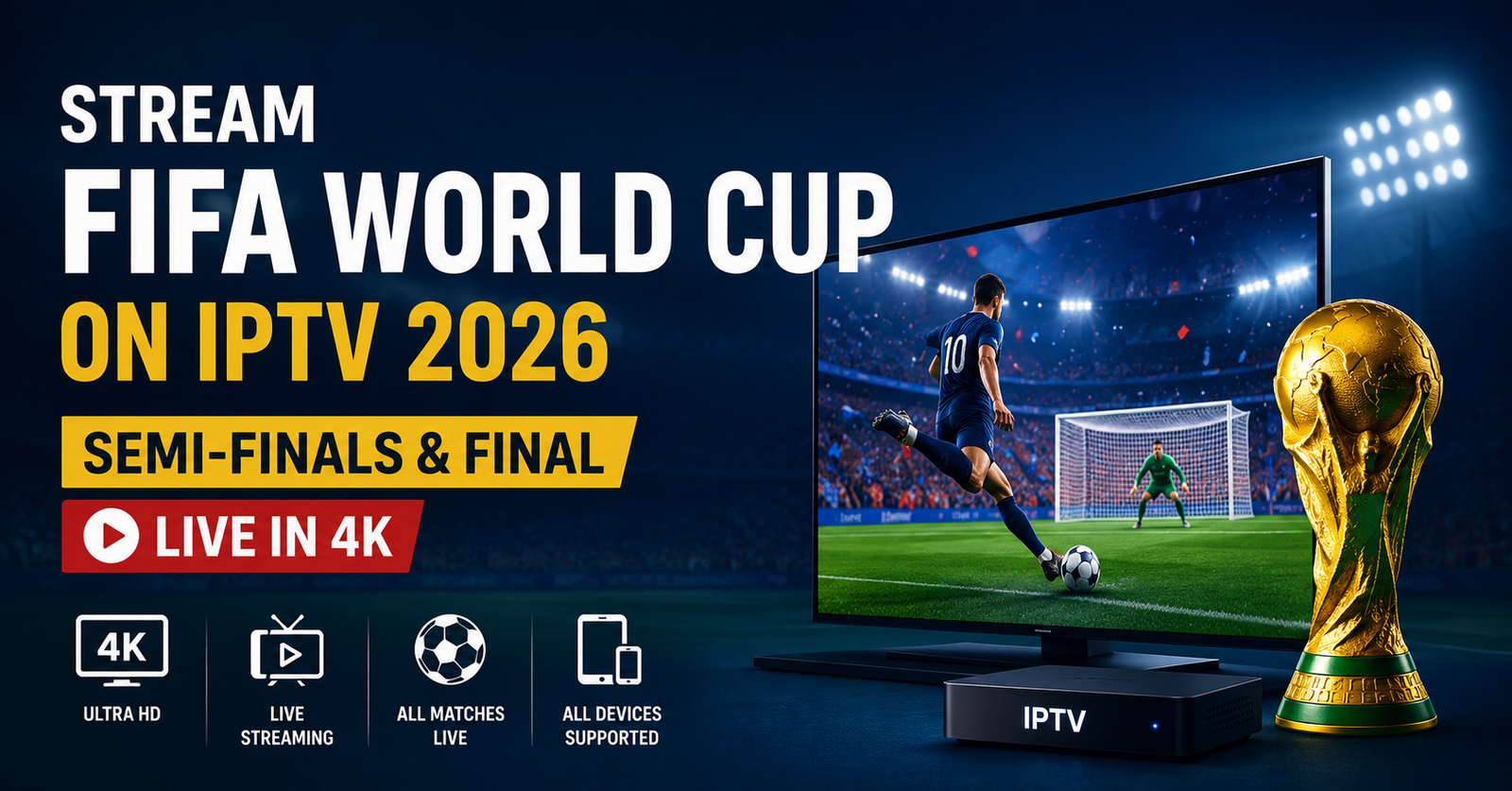
Stream World Cup on IPTV means watching the tournament via an internet-delivered subscription service instead of a traditional satellite or cable box, and whether it’s a good option for you depends almost entirely on the provider’s transparency, your internet connection, and your understanding of how content rights actually work. IPTV itself is just a delivery method. It does not automatically mean unrestricted or unlicensed access to every match, and treating it that way is where most viewers run into trouble.
What IPTV Actually Means for World Cup Viewing
IPTV stands for Internet Protocol Television. Instead of receiving a broadcast signal through a satellite dish or a cable line, the content is delivered over your internet connection, typically through an app on a Smart TV, a streaming box, a phone, or a computer. For major tournaments like the World Cup, this matters because demand spikes sharply during marquee fixtures, and the quality of your experience depends heavily on the infrastructure behind the service you’re using.
It’s worth being clear about one thing early: IPTV is a technology, not a licence. A provider can be well built, fast, and professional looking, and still not have the rights to distribute a given broadcast. Payment processing, a polished website, or years in business do not confirm legal distribution rights on their own. If you’re evaluating a service specifically for World Cup coverage, that distinction should sit near the top of your checklist, not the bottom.
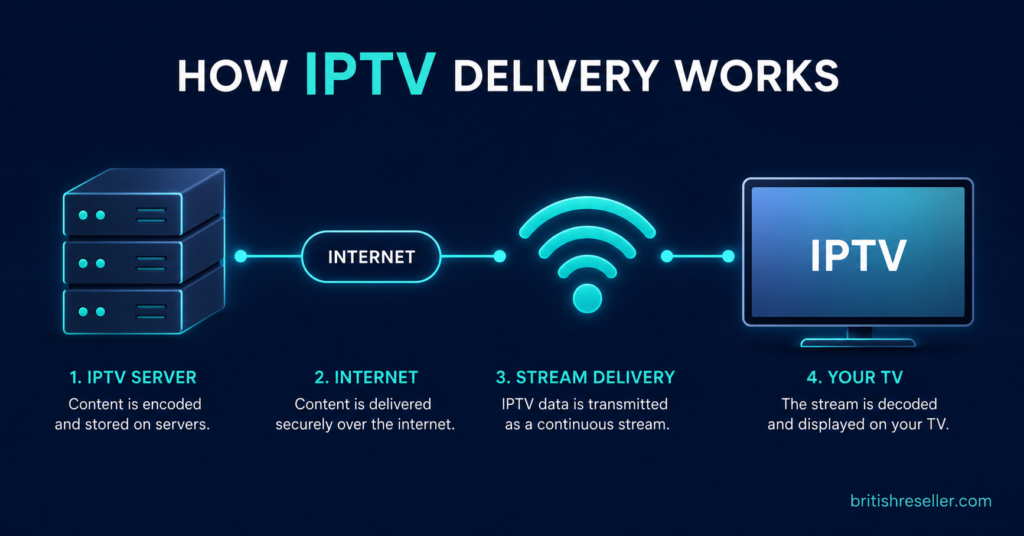
Why Demand Spikes During the Tournament
World Cup matches, especially in the knockout stages, concentrate an unusually large number of simultaneous viewers into short windows of time. That creates real strain on servers, CDNs, and last-mile internet connections that isn’t present during a normal viewing week. If a provider’s infrastructure isn’t built to handle that concentration, the symptoms show up exactly when you don’t want them to: buffering during a goal, freezing during a penalty shootout, or a stream that drops entirely mid-match.
This is one of the more overlooked parts of choosing a service around a tournament. A provider that runs smoothly on a quiet Tuesday evening in March may behave very differently during a World Cup semi-final watched by millions at once. Server capacity, content delivery network quality, and how a provider manages peak load all play a role, though exact performance figures vary by provider and aren’t something that can be verified in general terms.
Pro tip: Test any service well before the tournament starts, not on match day. A trial period during a quiet week won’t tell you much about peak-load performance, so if a provider offers any kind of trial, use it while checking their transparency around infrastructure rather than treating a smooth trial as a guarantee.
Checking Whether a Provider Is Being Transparent
Because the IPTV market includes a wide range of operators, some professional and some not, transparency is one of the more reliable signals available to an ordinary viewer. A provider that’s upfront about who they are, what they offer, and where the limits sit is giving you more to evaluate than one that avoids specifics.
Useful things to look for include a real business name and contact method, clear terms of service, a stated refund policy, and straightforward answers when you ask direct questions. None of this proves legality on its own, but a provider that’s evasive about basic business information is giving you a warning sign worth taking seriously.
Questions worth asking a provider before you commit:
- What happens if the service goes down during a live match?
- Is there a refund policy, and what does it actually cover?
- What device types are supported, and is that confirmed in writing?
- How is customer support handled, and during which hours?
- What’s the process if you want to cancel or downgrade?
A provider that answers these clearly, without dodging, is generally easier to deal with than one that responds with vague reassurance.
Questions to Ask vs What a Clear Answer Looks Like
| Question | What a clear answer looks like |
|---|---|
| What happens if service goes down mid-match? | Specific support channel and expected response time |
| Is there a refund policy? | Written policy, not a verbal promise |
| Which devices are supported? | Confirmed list, not “should work on most things” |
| How is support handled? | Named hours or channel, not “we’re always here” |
| What’s the cancellation process? | Clear steps, no vague conditions |
Device Compatibility and Setup Basics
IPTV services are typically accessed through an app installed on a Smart TV, a streaming box such as Android TV or Firestick, a phone, tablet, or computer, or a dedicated IPTV player. Setup usually involves entering login credentials or a provided URL into the app, after which the channel list and programme guide load automatically.
For tournament viewing specifically, a wired ethernet connection or a strong 5GHz Wi-Fi signal makes a noticeable difference over a weak or congested connection, particularly in a household where multiple people might be streaming the same match on different devices. If you’re relying on IPTV for a high-stakes fixture, it’s worth testing your setup with a lower-stakes match beforehand rather than discovering a configuration issue during the final itself.
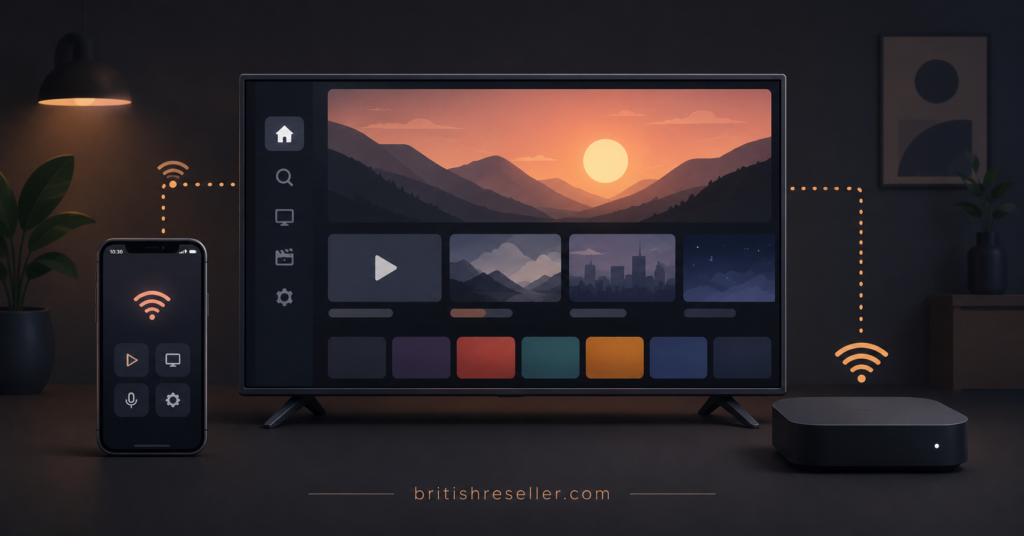
Pro tip: If your household plans to stream on more than one device at once during a match, check your router’s actual throughput and confirm the provider’s stance on simultaneous connections in writing rather than assuming it’s unlimited.
The Difference Between Subscribers, Resellers, and Sub-Resellers
Anyone researching IPTV around a major event like the World Cup will encounter three different roles in the market, and understanding the distinction helps explain why advice varies so much depending on who’s asking.
A subscriber is an individual end user paying for access to watch content. A IPTV Panel reseller purchases access in bulk, often through a credit-based system, and sells individual subscriptions to their own customers, managing accounts through a dashboard. A sub-reseller operates one level further down, working under a parent reseller with a set permission level and their own margin, but without full independence from the reseller above them.
Each role carries a different set of practical concerns, which is why the checklists later in this article are kept separate rather than combined into one generic list.
What Subscribers Should Focus On
If you’re simply looking to watch matches, your priorities are different from someone running a reseller operation. Pricing clarity matters: know exactly what you’re paying for and for how long, rather than agreeing to vague terms. Device support should be confirmed for whatever hardware you actually own. Refund terms matter more than most subscribers realise until something goes wrong. And ongoing support responsiveness, not just responsiveness during the sales conversation, tells you a lot about what happens if there’s an issue mid-tournament.
What Resellers Should Focus On
For resellers, the World Cup period is as much an operational test as it is a commercial opportunity. Customer volume tends to rise sharply around major tournaments, which means panel stability, credit management, and documentation all matter more than usual. A reseller who hasn’t reviewed their escalation process before peak demand hits is more likely to be caught off guard when several customers report issues during the same match window.
Panels with clear credit tracking, bulk account management, and sub-reseller support, such as IPTV reseller panel features built specifically for operational scale, tend to hold up better under the kind of concentrated demand a tournament creates than a bare-bones setup with no dashboard visibility.
What Sub-Resellers Should Focus On
Sub-resellers work within permissions set by a parent reseller, which means their priorities centre on margin clarity, dependency risk, and customer ownership. If the parent reseller’s infrastructure struggles during a high-demand period, that risk passes down to the sub-reseller’s own customers, often without much warning. Understanding exactly where support responsibility sits, and confirming it before the tournament rather than during it, avoids a lot of the confusion that shows up when things go wrong at the worst possible time.
Common Mistakes Viewers Make Around Major Tournaments
A few patterns come up repeatedly when people choose an IPTV service specifically for a big event rather than as an ongoing decision:
- Signing up the day before a major match instead of testing in advance
- Assuming a professional-looking website confirms legal content rights
- Ignoring refund policy details because the price seemed reasonable
- Not checking simultaneous device limits before a household watch party
- Treating a smooth free trial as proof of peak-load reliability
None of these mistakes are unusual, and most of them are avoidable with a bit of advance checking rather than a last-minute decision made under time pressure.
Good Signs and Warning Signs to Watch For
Good signs generally include a provider that answers questions directly, a visible refund and terms policy, transparent pricing without pressure tactics, and support that responds within a reasonable window during a trial period. Warning signs include reluctance to answer basic questions, pricing that seems designed to create urgency rather than clarity, an absence of any business information, and promises of guaranteed uninterrupted streaming, which no provider can honestly claim given how internet-delivered content works.
If you want to see how a UK IPTV reseller-facing platform documents its own credit and account structure, providers such as britishseller.co.uk publish that kind of detail, and comparing how clearly different providers explain their own systems is a reasonable way to judge transparency, whether or not you end up choosing that particular one.
General Signals When Comparing IPTV Providers
| Signal | Good sign | Warning sign |
|---|---|---|
| Business info | Named company, contact address | No identifiable business behind it |
| Pricing | Clear, itemised, no pressure | Artificial urgency, “today only” deals |
| Policies | Visible terms and refund policy | No policy pages, or vague wording |
| Communication | Direct answers to direct questions | Deflection or generic reassurance |
Pro tip: Before the tournament starts, save your provider’s support contact method somewhere you can reach quickly. If an issue comes up during a match, you don’t want to be searching for a contact page while the game is still going.
A Note on Content Rights and Legality
It’s worth restating this plainly rather than glossing over it. IPTV as a technology is neutral; it’s simply a method of delivering video over the internet. Whether a specific stream is authorised depends on whether the provider holds the rights to distribute that content in your region, which varies by broadcaster, competition, and territory. This article isn’t the place to explain how to work around geographic or access restrictions, and general advice can’t substitute for checking a provider’s actual licensing status yourself. If a provider can’t or won’t explain the basis for their content rights, that’s meaningful information on its own.
Pro tip: If a deal looks unusually cheap compared to the rest of the market, treat that as a prompt to ask more questions, not fewer. Price alone doesn’t tell you whether a service is well run or properly licensed.
Frequently Asked Questions
Does IPTV mean I’m accessing an illegal stream?
Not inherently. IPTV is a delivery method, and legality depends entirely on whether the specific provider holds distribution rights for the content and region in question. It’s the provider’s licensing status that matters, not the technology itself.
Will my internet connection handle World Cup streaming?
A stable broadband connection with reasonable upload and download speeds generally supports IPTV streaming, though performance during high-demand matches also depends on the provider’s own server capacity, which varies between services.
Can I watch on more than one device at the same time?
That depends on the specific plan and provider. Simultaneous connection limits vary, so it’s worth confirming this detail directly with a provider rather than assuming it’s unrestricted.
What should I do if a stream buffers during a match?
Check your own connection first, ideally by switching to a wired connection if possible. If the issue persists across multiple devices or networks, it’s more likely to be on the provider’s side, and their support responsiveness at that point becomes the deciding factor.
Is a free trial a reliable way to judge a provider?
A trial is useful for testing interface, setup, and basic streaming quality, but a trial run during a quiet period doesn’t necessarily reflect how a service performs during peak tournament demand.
What’s the difference between a subscriber and a reseller account?
A subscriber pays for personal access to watch content. A reseller purchases access in bulk and manages multiple customer accounts through a dashboard, typically using a credit-based system to activate individual subscriptions.
Conclusion
Streaming the World Cup on IPTV comes down to three things that matter more than anything else: choosing a provider that’s transparent about who they are and what they offer, having a connection and setup capable of handling peak demand, and understanding that IPTV itself doesn’t confirm legal access, the provider’s actual rights do. There’s no single guaranteed way to avoid every possible issue during a tournament, but checking these details in advance puts you in a far better position than deciding everything on match day. If you’re still comparing options, spend the time now rather than during kickoff week.
Get Started with IPTV Services
If you’d like to discuss available packages, server options, and current pricing ahead of the tournament, you can reach out to our team directly on WhatsApp or through our contact page. We’re happy to walk you through setup and answer any questions about device compatibility or account activation before you commit.
Subscriber Checklist
- Confirm device compatibility for your specific hardware in writing
- Ask about the refund policy before paying, not after
- Check simultaneous device/connection limits if multiple people will watch
- Test the service on a lower-stakes match before a major fixture
- Save the support contact method somewhere easy to find on match day
Reseller Checklist
- Review your panel’s credit and dashboard tools before peak demand hits
- Confirm your escalation process for high-volume support days
- Check bulk account management tools ahead of tournament sign-ups
- Communicate expected response times clearly to your customers
- Review current credit pricing and package options to plan stock ahead of demand
Sub-Reseller Checklist
- Confirm your permission limits and margin structure with your parent reseller
- Understand exactly where support responsibility sits if issues arise
- Clarify what happens to your customers if the parent reseller’s infrastructure is strained
- Keep your own records of customer accounts independent of the parent panel
- Ask your parent reseller directly how they’re preparing for tournament-level demand