

The IPTV reseller panel password reset process nearly always runs through the account directly above yours. Many reseller dashboards built on Xtream-style software have no self-service “forgot password” link, so a locked-out reseller asks their parent reseller or provider to set a new password, a sub-reseller asks the reseller who created their account, and a customer’s line password is changed by whoever sold that line, from the line’s edit screen in the dashboard.
Before you message anyone, work out which login has actually failed. A customer saying “my password stopped working” almost always means their line credentials inside an app, not a panel login, and those are two very different fixes. Change the wrong one and you either waste a support exchange or, worse, disconnect every device the customer has signed in without solving anything.
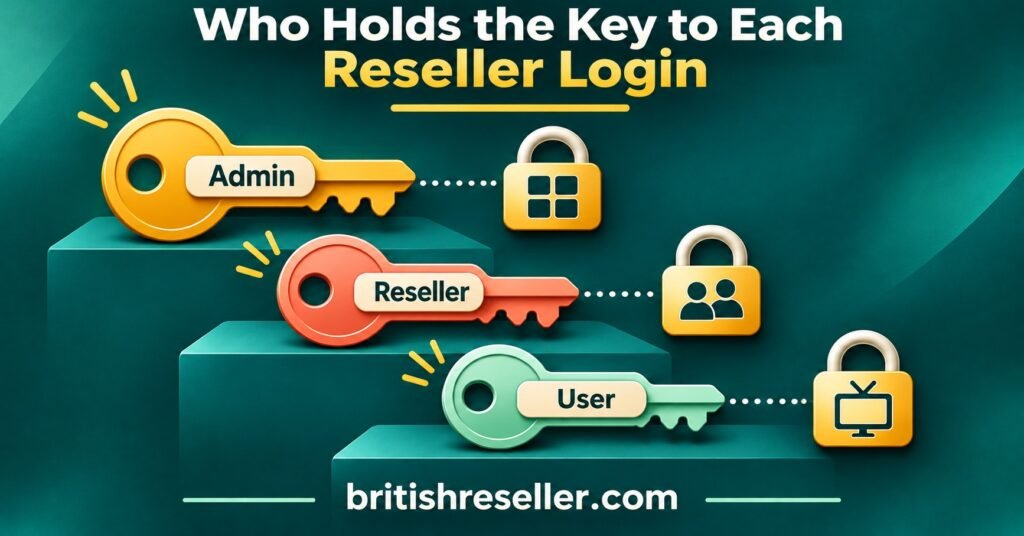
Three Logins, Three Different Owners
A reseller operation usually involves at least three kinds of credentials, and each has a different person holding the key. Getting this straight first saves most of the confusion that surrounds password resets.
| Login | Who can reset it | What happens after the change |
|---|---|---|
| Your own reseller panel login | Your parent reseller or the provider’s admin | Only your dashboard sessions are affected |
| A sub-reseller’s panel login | You, from that sub-reseller’s profile | Their dashboard access changes; their customers’ lines keep working |
| A customer line (Xtream login or M3U link) | You, or the sub-reseller who owns the line | Every app and device using the old details stops connecting until updated |
The last row is the one that catches people out. A panel password protects your business tools. A line password is part of the customer’s working setup, and on many panels it is also embedded in the M3U playlist URL. Changing it is closer to re-provisioning the service than to a simple security tweak.
If you are unsure what your dashboard lets you edit, the panel access control and sub-reseller tools on British Reseller show the kind of permissions a typical reseller account carries.
The IPTV Reseller Panel Password Reset Process, Step by Step
This is the sequence for the situation that feels most urgent: you cannot get into your own dashboard.
Confirm the address and username before anything else
A surprising number of “forgotten” passwords are correct passwords typed into the wrong place. IPTV Reseller panels are often reached through a specific domain and port, and some providers move panels to a new address after maintenance. Check that you are using the current login URL your provider gave you, and that the username matches exactly, including capital letters. Panel usernames are frequently case-sensitive.
Rule out the browser
Saved autofill entries can quietly insert an old password even when you think you are typing a new one. Try a private browsing window, type the details manually, and avoid pasting from a notes app that may add a trailing space.
Stop after a few failed attempts
Some panels temporarily block an IP address after repeated failed logins. If you keep guessing, you may turn a password problem into an access block that a correct password will not fix. Two or three careful attempts is enough before moving on.
Ask the account above you for a reset
Contact your parent reseller or provider through the channel listed in your agreement. Give them your panel username and the email address registered on the account. Do not send your old password, and be wary of anyone who asks for it; a legitimate admin sets a new one without needing the old one.
Expect an identity check
A careful provider will confirm you are the account holder before changing anything. Common checks include the registered email, a recent credit purchase reference or the date the account was opened. This can feel slow when you are locked out, but it is the same check that stops someone else taking over your credit balance.
Log in, then change it again yourself
Once you receive a temporary password, log in and replace it straight away from your profile or account settings. The temporary one has passed through a chat or email thread, which makes it less private than a password only you have seen.
Pro tip: Keep a short note of your provider’s support contact and panel URL somewhere outside the panel itself. If the dashboard is the only place you stored those details, a lockout leaves you with nothing to work from.
Resetting a Sub-Reseller’s Login From Your Dashboard
If you run sub-resellers, you become the reset desk for them. On most dashboards this sits under the sub-reseller or reseller management area: open the sub-reseller’s profile, find the password field, enter a new password and save.
Two things are worth knowing before you do it. First, many panels store passwords in a form that cannot be displayed, so there is no “reveal” button. You are setting a new password, not recovering the old one, and you will need to pass the new one on. Second, changing a sub-reseller’s panel password does not touch the lines they have sold. Their customers keep watching, and only the sub-reseller’s dashboard access changes.
Verify the request just as your provider would verify yours. A message from an unfamiliar number claiming to be your sub-reseller is exactly how credit balances get emptied. Ask for something only the real account holder would know, such as the date of their last credit top-up.
If you are the sub-reseller, the honest limitation is dependency. You cannot reset your own panel password around the IPTV panel reseller above you, and if they are slow to respond, you wait. It is a reasonable thing to ask about expected response times before you commit to a parent account.
Customer Line Passwords: Changing Them Without Breaking the Setup
When a customer asks for a new password, the change itself takes seconds: open the line in your dashboard, edit the password (and username, if needed), and save. The work is everything around it.
Every app the customer has signed in with the old details will stop connecting. If they use an M3U link, that link usually contains the credentials, so the old URL fails too and they need a fresh one. Customers who do not expect this assume the service has gone down.
A sensible order of work looks like this:
- Confirm the request comes from the account holder, using details you hold on file.
- Agree a moment when the customer is ready to re-enter details on their devices.
- Edit the line and save the new credentials.
- Send the new login details, and a regenerated M3U link if they use one, through the channel the customer normally uses.
- Wait for confirmation that each device has reconnected before closing the request.
There is also a question worth asking before you change anything: does the customer actually need a new password? If the real complaint is “it says invalid login”, the cause may be an expired line, a typing error in the app or a device limit. Resetting the password in those cases solves nothing and adds a reconfiguration job on top.
For a broader view of how lines, credits and expiry dates relate to one another, this guide to how credits and user lines work inside a reseller panel covers the underlying structure.
A Worked Example: What the Records Should Show
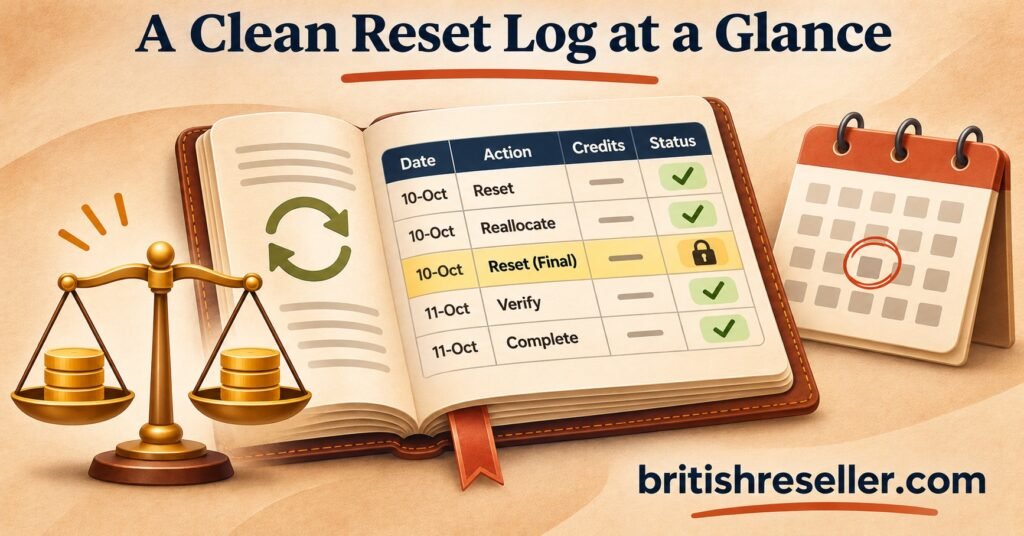
Keeping a short reset log turns a forgettable support task into something you can audit later. The entry below is fictional and illustrative, but it shows the fields that matter.
Reset log entry
- Date and time: 14 November 2026, 19:42
- Account type: Customer line
- Line reference: Line 2087 (username unchanged)
- Password: changed, new value not written in the log
- Requested by: account holder, verified by registered email and last renewal date
- Reseller credit balance before and after: 146 and 146
- Line expiry before and after: 2 March 2027 and 2 March 2027
- Devices updated: Android box, phone app
- Confirmed working: 19:58
Look at the two “before and after” rows. A password edit should not change your credit balance or the line’s expiry date. On most credit-based panels, editing credentials is not a billable action, although it is worth confirming your own provider’s terms rather than assuming. If either number moved, something other than a password change happened, perhaps an accidental renewal click, and it is far easier to spot and correct within minutes than at the end of the month.
Notice too what the log leaves out: the password itself. A spreadsheet of live customer passwords is a liability if it is ever shared, synced or lost. Record that a change happened and who authorised it, not the secret.
Errors That Stall a Reset
Most failed resets come down to a handful of causes. Matching the symptom to the cause is quicker than repeating the same reset.
| Symptom | Likely cause | What to do |
|---|---|---|
| New panel password rejected immediately | Old password still autofilling, or wrong login URL | Use a private window and type both fields manually |
| Panel login page will not load at all after several tries | Temporary IP block from repeated failures | Wait, then contact the provider with your IP address if it persists |
| Customer’s app still says invalid login after the change | App holding cached details, or the old M3U link still in use | Remove and re-add the playlist with the new credentials or link |
| Line works on one device but not another | Second device not updated, or connection limit reached | Update every device; check the line’s connection allowance |
| Sub-reseller says the new password does not work | Copied with a trailing space, or case changed in transit | Resend as plain text and ask them to type it rather than paste |
| Reset request goes unanswered | Request sent to the wrong channel or account | Use the support contact named in your reseller agreement |
If a reset keeps failing on your own panel and nothing above applies, contact the British Reseller support team or your own provider with your username, the time of your last attempt and any error message shown.
Keeping the New Password From Becoming the Next Problem
A reset is a good moment to fix the habits that caused it. The UK’s National Cyber Security Centre has long recommended passwords made from three random words, because length and unpredictability do more than a short string of symbols, and the result is easier to type correctly. For panel accounts in particular, a password manager is the more practical choice, since it removes autofill confusion and keeps each login unique.
A few operational habits matter as much as the password itself. Give staff or helpers their own sub-accounts where your panel allows it, rather than sharing your main login, so one person leaving does not force a reset for everyone. Avoid sending passwords in chat threads that sync across several devices and stay searchable for years. If your panel offers two-factor authentication, switch it on.
Security also has limits worth stating plainly. A strong panel password protects your account, but it says nothing about whether the service you resell holds proper distribution rights. IPTV is a delivery technology, and lawful use depends on the content being licensed for the markets you sell into.
Reset Log Checklist for Resellers
- Identify which login failed: your panel, a sub-reseller’s panel or a customer line
- Check the login URL, username spelling and capitalisation before requesting anything
- Verify the requester using details already on file, never details they supply in the moment
- Agree a time with customers before changing line credentials
- Regenerate and resend M3U links whenever line credentials change
- Note credit balance and expiry before and after the edit
- Record who authorised the change, without writing down the new password
- Close the request only after every device is confirmed working
Frequently Asked Questions
Can I see a customer’s current line password in my panel?
It depends on the panel. Some dashboards display line credentials so you can resend them, while others only let you overwrite them. If yours displays them, resending the existing details is often better than a reset, because nothing on the customer’s devices needs to change.
Does resetting a line password use a credit?
On most credit-based panels, no. Credits are normally consumed when you create or renew a line, not when you edit its credentials. Check your provider’s terms, and compare your credit balance before and after the change to be certain.
My provider has gone quiet and I am locked out. Is there another way in?
Not a legitimate one. Panel access is controlled by the account above you, and any method that bypasses it would also bypass the protection on your own credit balance. Keep a record of your attempts to contact them, and if delays become a pattern, treat it as a reason to review the relationship.
Should I change a customer’s password if they think someone else is using their line?
Yes, that is a sound reason to change it. Coordinate the timing with the customer, because the change will disconnect the unauthorised user and the genuine customer alike until the new details are entered.
How often should I change my own panel password?
Change it when there is a reason: a suspected leak, a staff member leaving or a password that has been shared. Routine forced changes tend to produce weaker, predictable passwords, which is why current UK guidance focuses on strong, unique passwords rather than frequent rotation.
Getting Back to Normal
The IPTV reseller panel password reset process is simple once you know whose key opens which door: your provider resets your panel, you reset your sub-resellers, and line credentials sit with whoever sold the line. The parts that genuinely need care are verification, timing with customers and a short record that shows nothing else changed. Start by confirming which login has failed, and the rest of the reset usually takes minutes rather than a long support thread.