


IPTV Reseller Bookkeeping UK comes down to keeping two sets of records that always agree with each other: what you paid for credits, and what your customers paid you. Tax returns, VAT and bank questions all rest on being able to show both, with dates, amounts and evidence.
The common mistake is treating the panel as the accounts. A reseller dashboard tells you how many credits you hold and which lines they went into. It does not tell HMRC, your accountant or your bank what you earned, what you spent in pounds or what you owe. Decide early whether you trade as a sole trader or through a limited company, because that choice sets which deadlines and record-keeping periods apply to you.
Your Panel Balance Shows Credits, Not Money
A credit log is a useful supporting record. A panel that keeps timestamped transactions and line details, as described on the IPTV reseller panel features page, gives you something to reconcile against at month end. But a log cannot show the pound amount you paid, how you paid it, or what a customer later paid you for the line.
This matters most when you buy credits at different times and in different pack sizes. Your cost per credit will not stay constant, so record each purchase separately with its own receipt instead of carrying an average in your head. If you ever need to work out the margin on a particular customer or a particular month, you can only do it from the real purchase figures.
Unused credits are a grey area worth raising with an accountant. Whether a balance you have paid for but not yet used is treated as stock or as an expense can depend on your accounting method and the supplier’s terms, including whether credits expire. Tell your accountant what the terms say instead of guessing.
Keep the supplier side of the file as well. That means your agreement or terms, invoices and contact details. IPTV is a delivery technology, and whether a given service is lawful depends on the rights and permissions behind the content. Banks, payment processors and accountants may reasonably ask who your supplier is and on what basis they operate, so being able to answer calmly protects your business.
Four Records That Carry Most of the Weight
Most small IPTV panel reseller books are built from the same four streams. If these are clean, the rest is mostly arithmetic.
Credit purchases come first. For every purchase, keep the invoice or receipt, the date, the amount in pounds, the number of credits and the supplier name. A chat message saying “payment received” is not a receipt, so ask for a proper one.
Customer payments are the second stream. Record the date, the amount, which customer it relates to and which line or renewal it covered. Payments arrive by bank transfer, card or other methods, and each one should land in a record you can match to a bank or processor statement. If a processor takes a fee, record the full sale as income and the fee as a cost, rather than only noting the smaller amount that reached your account.
Refunds and reversals are the third, and the one most often forgotten. Tie each refund to the original sale so your income is not overstated. Check your supplier’s refund terms before you promise customers anything, because some suppliers only refund certain products or not at all, which would leave you out of pocket on the cost side.
Running costs are the fourth. Domain, hosting, website work, support tools, advertising, bank charges and payment fees all belong here. Keep them out of your personal spending, because mixed transactions are the hardest to untangle later.

Sole Trader or Limited Company: What Changes in the Paperwork
The structure you trade under changes how long you keep records and where the money should sit. Retention periods below are minimums, and they can be longer if a transaction spans several periods or HMRC has opened a check.
| Situation | What changes | Practical step |
|---|---|---|
| Sole trader | Keep records for at least 5 years after the 31 January Self Assessment submission deadline for that tax year | Use a separate bank account to keep personal spending out of the business records |
| Limited company | Keep company and accounting records for at least 6 years from the end of the relevant financial year | Route company income and costs through the company account and record director withdrawals clearly |
| VAT-registered business | Keep VAT records for at least 6 years | Store VAT invoices and the digital records together |
Electronic records are acceptable as long as they are complete, readable and can be produced on request. A tidy folder structure by month and stream is usually enough to begin with.
When Making Tax Digital and VAT Start to Apply
Two thresholds catch growing resellers off guard, and both are measured on turnover rather than profit.
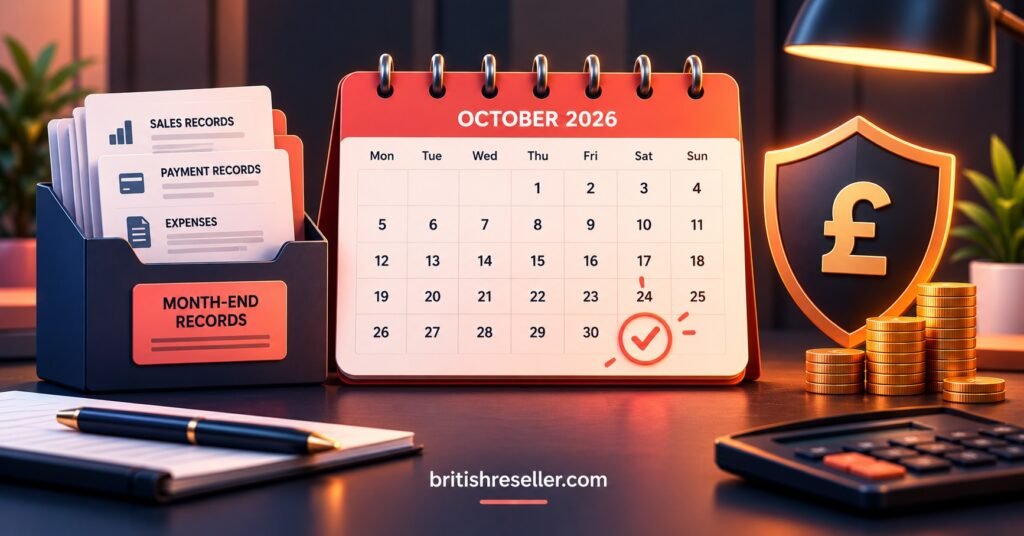
Making Tax Digital for Income Tax started on 6 April 2026. It applies to sole traders and landlords whose qualifying income in the 2024/25 tax year was above £50,000. The threshold is scheduled to fall to £30,000 from April 2027 and £20,000 from April 2028. If you are in scope, you keep digital records, send quarterly updates through compatible software and make a final declaration after the year ends. Quarterly updates are summaries of income and expenses, and they do not create a tax payment. HMRC has said it will not issue penalty points for late quarterly updates during 2026/27, but the deadlines still apply. Each is due on the 7th of the month after the quarter ends, so the next one is 7 November 2026 for the quarter ending 5 October.
Qualifying income means gross income before expenses. As an illustration, if you sold £60,000 of subscriptions and spent a large share of that on credits, the £60,000 is the figure that counts, not what is left afterwards.
VAT works the same way. You must register if your taxable turnover goes above £90,000 in any rolling 12-month period, and you must apply within 30 days. You must also register if you reasonably expect to pass that figure within the next 30 days alone. Once registered, you charge VAT, keep digital VAT records and file returns under Making Tax Digital. How VAT applies to your particular supplies, and to customers outside the UK, depends on the facts, so take advice before you cross the line instead of after.
Sub-Resellers and Refunds Are Where the Books Usually Slip
If you run sub-resellers, the panel makes it easy to move credits to them in seconds. Your books need more than that. Write down what was agreed, the price per credit, whether they paid upfront and when. Moving credits out of your balance is not the same event as receiving money, and treating them as one is how sub-reseller income goes missing or gets counted twice. The IPTV reseller panel guide explains how credits and sub-reseller accounts work inside the dashboard, which helps you decide where each movement should be recorded.
Their customers are not your customers, so you generally do not need to track them. You do need to track what the sub-reseller owes you and what you owe them if anything is refunded or reversed.
Refunds deserve the same discipline. A customer asking for money back months later is much easier to handle when the original payment, line and renewal are all findable in one place.
IPTV Reseller Bookkeeping UK as a Month-End Routine
You do not need accounting software to start a routine, though software helps once volumes grow and becomes essential if Making Tax Digital applies to you. A month-end pass can follow this order.
- Export the credit log from your panel and tick each credit purchase against a supplier receipt.
- Match customer payments from your bank or processor statement to the lines created or renewed.
- Log refunds, chargebacks and failed payments against the sales they relate to.
- File receipts for running costs and note anything that mixes personal and business spending.
- Update your rolling 12-month turnover figure so VAT never takes you by surprise.
- If you are in scope for Making Tax Digital, check when the next quarterly update falls due.
Pro tip: Save the receipt on the day you pay. Hunting for a supplier invoice six months later is slower and sometimes impossible.
Pro tip: Use the same customer reference in your payment records as you use in the panel, so each sale can be traced to a line in seconds. Compare your recorded cost per credit against the published credit pricing when you review margins, so your pricing rests on real figures.
Questions Resellers Ask Their Accountant First
Is the panel’s credit log enough as a record?
No. It supports your books but does not replace them, because it does not hold pound amounts, supplier receipts or customer payment evidence.
Do I have to register for VAT straight away?
Only when taxable turnover passes £90,000 across a rolling 12 months, or you expect to pass it within 30 days. You can also register voluntarily below that, which is a decision worth modelling with an accountant.
Can I claim the cost of credits I have bought but not yet sold?
That depends on how your accountant treats unused credits and on your supplier’s terms. Raise it before your year end so you are not rebuilding the picture later.
What if some customers pay in other currencies?
Keep the original currency and the sterling amount shown on your bank or processor statement. Cross-border sales can also affect VAT, so flag them to your accountant early.
Where to Start This Week
Good IPTV Reseller Panel Bookkeeping UK practice is mostly dull consistency. Match credit purchases to receipts, match customer payments to lines, record refunds against their original sales and watch the rolling turnover figure. Nothing here replaces advice from a qualified accountant. This article is general information, and rules and thresholds change, so check current GOV.UK and HMRC guidance for your own situation. Start with a clean separation between personal and business money, then work through one month of records as a trial run.
Reseller Checklist
- Business bank account in place and used for every credit purchase and customer payment
- Receipt or invoice saved for each credit purchase, with date, amount and credit quantity
- Supplier terms and contact details filed alongside the purchase records
- Customer payments matched to panel lines and renewals
- Refunds, chargebacks and fees recorded against the original sale
- Sub-reseller allocations written down with price and payment status
- Rolling 12-month turnover updated monthly
- Retention period confirmed for your structure (sole trader, company or VAT-registered)
- Making Tax Digital status checked, with the next quarterly date noted if you are in scope
- Accountant briefed on credit expiry terms, sub-reseller arrangements and any non-UK customers
[…] controls matter. Review what a panel allows you to restrict, such as the options described on the IPTV reseller panel features page, and give each person only the access their job […]