

Do You Need a VPN for IPTV? The honest answer is: it depends on what you’re trying to protect, not on a blanket rule that applies to everyone. A VPN adds a layer of privacy between your device and your internet service provider, hiding your browsing activity from your ISP and encrypting your connection. It doesn’t change what content you’re allowed to access, and it isn’t a requirement to make an IPTV Reseller Panel service work. Whether you need one comes down to your privacy priorities, your network setup, and how much you value keeping your streaming activity away from your ISP’s view.
Table of Contents
ToggleWhat a VPN Actually Does for IPTV Users
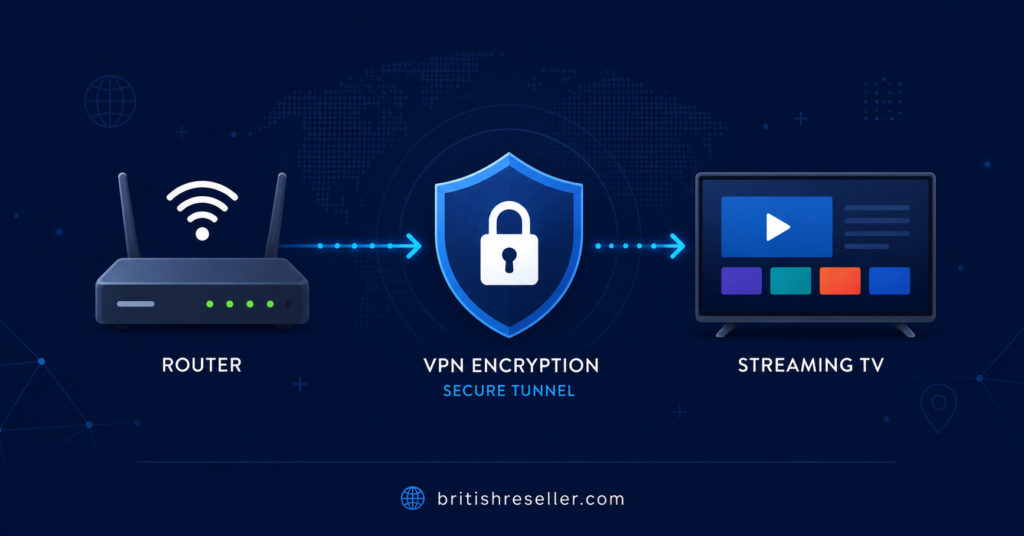
A VPN routes your internet traffic through an encrypted tunnel to a separate server, so your ISP sees a connection to that server rather than the specific content you’re streaming. For IPTV users, this mainly affects privacy and, in some cases, connection stability on networks that throttle certain types of traffic.
What it does not do is verify that a service is authorised to distribute the content it offers. A VPN is a networking tool, not a legal safeguard. Using one alongside an IPTV subscription UK service says nothing about whether that service holds proper distribution rights. That distinction matters, because a lot of marketing language around VPNs implies otherwise.
Do You Need a VPN for IPTV if Privacy Is Your Main Concern
If your priority is keeping your ISP from logging which servers you connect to, a VPN genuinely helps here. ISPs can see connection patterns even when they can’t see the specific content, and some ISPs use that data for network management or, in some regions, for reporting. A VPN closes that visibility gap for your general browsing and streaming traffic.
This matters more for some households than others. If you’re on a shared network, a student residence, or a workplace connection with monitoring policies, a VPN adds a genuine layer of separation. If you’re on a private home connection and your only concern is casual streaming, the privacy benefit is smaller, though still present.
Connection Stability: Where VPNs Sometimes Help and Sometimes Hurt
Some ISPs apply traffic shaping to streaming-heavy connections during peak hours, which can cause buffering regardless of the source. Routing through a VPN can occasionally bypass that shaping, since the ISP sees encrypted VPN traffic rather than recognisable streaming patterns.
The flip side is that a VPN adds a routing step, and that step can slow things down if the VPN server is far away, overloaded, or poorly maintained. A slow or crowded VPN server will often cause more buffering than the ISP throttling it was meant to avoid. Server choice and VPN provider quality end up mattering just as much as the decision to use one at all.
How to Decide: A Simple Framework
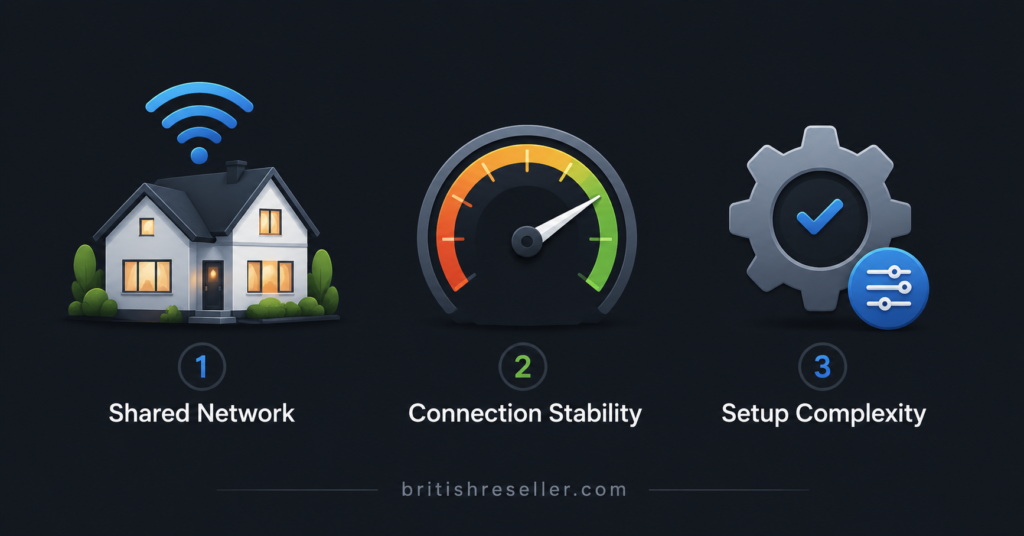
Rather than treating this as a yes or no question, it helps to break it into three practical factors.
First, consider who else has access to your network’s activity logs. Shared housing, university accommodation, and monitored workplace connections all raise the value of a VPN. A private home connection with a router you control lowers it.
Second, consider your local regulatory environment. Some countries have stricter monitoring or reporting requirements around internet traffic than others, and readers should check their own jurisdiction’s rules rather than assume the position is the same everywhere.
Third, consider your tolerance for added setup complexity. A VPN means an extra app, an extra login, and occasionally troubleshooting when a server drops or a connection stalls mid-stream. For some people that trade-off is worth it. For others, it adds friction without a proportional benefit.
Pro tip: Test your IPTV connection with and without a VPN active during the same viewing session, at the same time of day, so you can compare buffering and load times fairly before deciding either way.
Setting Up a VPN Correctly for IPTV
If you decide a VPN is right for your situation, setup quality affects the outcome more than most people expect. A poorly configured VPN can introduce more buffering than it prevents.
Choose a server location close to your actual location where possible, since distance adds latency. Confirm the VPN app supports the device you’re streaming on, since not every VPN client works well on Android boxes, Firestick, or smart TV operating systems, and some require a workaround such as running the VPN on your router instead of the individual device. Check whether the VPN provider publishes a clear no-logging policy, since that policy is the entire point of using one for privacy reasons.
Pro tip: If your streaming device doesn’t support VPN apps directly, configuring the VPN at the router level covers every device on your network without needing a separate app on each one.
Subscriber View: What to Weigh Before Deciding
For most people watching through a personal IPTV subscription UK service, the decision usually comes down to how much they value keeping their ISP from seeing connection patterns, balanced against the cost of a VPN subscription and any speed trade-off. Providers sometimes market VPN bundles as part of an IPTV setup, and a provider such as Skip This might be used as an illustrative example of how these bundles are framed, but the same evaluation standard should apply regardless of which provider is offering it. A bundled VPN isn’t automatically better than one you choose separately, and it doesn’t change whether the underlying content is properly licensed.
Below is a simple table to help weigh the decision against your own situation.
| Question to Ask Yourself | Why It Matters |
|---|---|
| Do I share this network with others? | Shared or monitored networks raise the privacy value of a VPN. |
| Does my ISP throttle streaming traffic? | A VPN can sometimes reduce throttling-related buffering. |
| Am I comfortable managing an extra app or router setting? | VPN setup adds a layer of ongoing maintenance. |
Reseller View: Why This Question Comes Up in Support Tickets
Resellers running an IPTV Reseller network often field VPN questions from customers who assume it’s a mandatory step. It usually isn’t, and setting that expectation clearly during onboarding saves support time later. A customer struggling with buffering after enabling a VPN might just need a closer server, not a switch back to no VPN at all.
Documenting a short internal note on VPN troubleshooting, covering common device compatibility issues and server selection tips, gives a reseller’s support team a consistent answer instead of improvising each time the question comes up. This is a small addition to onboarding material but it reduces repeat tickets meaningfully, since VPN-related confusion is one of the more common questions new subscribers raise in their first week.
Common Misunderstandings About VPNs and IPTV
A few assumptions circulate regularly and are worth correcting plainly.
A VPN does not make an unauthorised service authorised. It changes traffic visibility, not the underlying rights status of the content being distributed. Readers should still check a provider’s transparency, business information, and terms regardless of VPN use.
A VPN does not guarantee smoother playback. It can help in specific throttling scenarios, but it can also introduce lag if the server is distant or overloaded. Results vary by provider, server, and network conditions.
A free VPN is not automatically comparable to a paid one. Free services often have data caps, slower speeds during peak hours, or business models built around collecting the same browsing data a VPN is meant to protect, so it’s worth reading a free provider’s privacy policy carefully before relying on it.
Troubleshooting When VPN and IPTV Don’t Get Along
If streaming becomes unstable after turning a VPN on, a short sequence of checks usually identifies the cause faster than guessing.
Start by switching to a different VPN server location, ideally one physically closer to your actual location, since distance is the most common cause of added lag. If that doesn’t help, check whether the VPN app has a specific streaming or gaming mode, since some providers optimise certain servers for lower latency. If the issue persists, try running the VPN at the router level instead of the device app, since some device-level VPN clients handle streaming traffic less efficiently than router-based configurations.
If none of that resolves it, the issue may not be VPN-related at all. Check your base connection speed without the VPN running, since an already strained connection will struggle either way.
You can review more general connection troubleshooting steps in our IPTV playlist troubleshooting guide, which covers the wider set of reasons a stream might stall beyond VPN-specific causes.
Device Considerations
Not every device handles VPN traffic equally well. Some Android-based boxes support VPN apps natively and run them without much performance loss, while older or lower-powered devices can struggle with the added encryption overhead. If you’re deciding on hardware with VPN use in mind, our Android TV app comparison guide covers device and app compatibility factors worth checking beforehand.
For anyone still building out their understanding of how reseller-supplied panels and credentials work in general, the IPTV reseller panel guide explains the dashboard side of things, which is useful context if you’re evaluating a provider’s overall setup rather than just the VPN question in isolation.
Sub-Reseller View: A Brief Note
Sub-resellers working under a parent account generally don’t set VPN policy themselves, since that decision typically sits with the parent reseller or the end customer. Where it becomes relevant is in support handling: if a sub-reseller is fielding VPN-related questions directly, it’s worth confirming with the parent account what guidance, if any, has already been standardised, so customers get consistent answers rather than conflicting advice from different points in the chain.
Frequently Asked Questions
Does a VPN improve IPTV streaming quality?
Not directly. A VPN doesn’t add bandwidth or improve video quality on its own. It can occasionally reduce buffering caused by ISP throttling, but it can also slow things down if the VPN server is distant or congested. The effect depends on your specific network and VPN provider.
Is it illegal to use a VPN with IPTV?
Using a VPN itself is legal in most countries. What matters is the legality of the underlying content service you’re accessing, which depends on distribution rights, not on whether a VPN is involved. Readers should check their own local regulations, since rules do vary by country.
Can I use a free VPN for IPTV?
You can, but free VPNs often come with data limits, slower speeds during busy periods, or fewer server options. Some also have business models that involve collecting user data, which can undercut the privacy benefit you’re looking for in the first place.
Will a VPN stop my ISP from seeing what I’m streaming?
A VPN encrypts your traffic so your ISP sees a connection to the VPN server rather than the specific content or destination. It changes visibility, not access rights, and it isn’t a guarantee against every form of network monitoring.
Do all IPTV devices support VPN apps?
No. Support varies by device. Some Android-based boxes and smart TVs support VPN apps directly, while others don’t, in which case setting up the VPN at the router level covers every connected device instead.
Should resellers recommend a specific VPN to customers?
Most reseller panels don’t require or recommend a specific VPN, since it isn’t a mandatory part of using an IPTV Reseller service. Resellers who do get VPN questions frequently benefit from having a short internal explainer ready rather than a formal recommendation.
Conclusion
Do You Need a VPN for IPTV? For most people, the answer depends on how much you value keeping your streaming activity private from your ISP and whether you’re on a shared or monitored network where that visibility matters more. A VPN adds genuine privacy benefits and can occasionally help with throttling-related buffering, but it also adds setup complexity and, if configured poorly, can slow your connection rather than improve it.
It doesn’t change the licensing status of any service you use it with, so it should never be treated as proof that a provider is operating properly. Weigh your own network situation, test your connection with and without one active, and choose based on what actually fits your setup rather than what a provider’s marketing suggests you need.
Decision Checklist
- Check whether your network is shared or monitored by others
- Test your streaming connection with and without a VPN at the same time of day
- Confirm your streaming device supports VPN apps, or plan for router-level setup instead
- Choose a VPN server location close to your actual location to reduce lag
- Review any VPN provider’s logging policy before relying on it for privacy
- Avoid assuming a VPN changes the licensing status of an IPTV service
- Check your local regulations rather than assuming rules are the same everywhere